
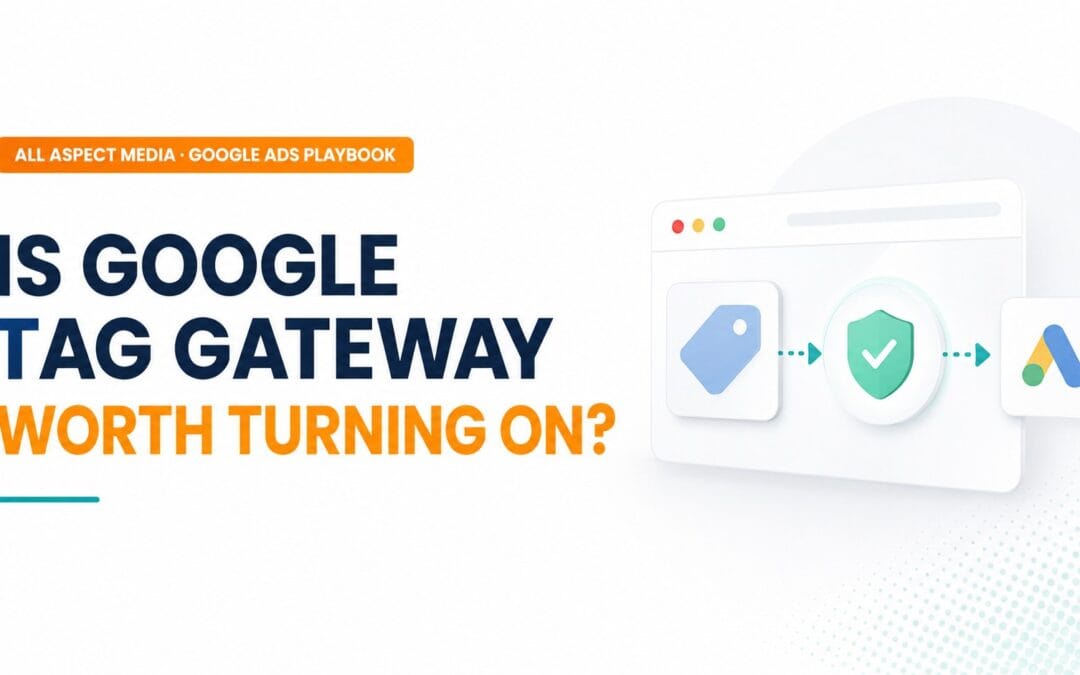
What it actually is
In plain terms: normally, when someone visits your site, your Google tracking code sends a message to Google - "someone viewed this page," "someone bought this" - from Google's own address. Many browsers and ad blockers recognise that address as a tracker and block the message before it's counted. Tag Gateway simply changes the sender's address on that message to your own website's address instead. Nothing about the message itself changes - it's just far less likely to get blocked, because it now looks like it's coming from a site the visitor already trusts: yours.
Same visitor, same tag, same data - only the "return address" on the request changes, from Google's domain to your own.
What it's good for
Google's own figure is up to 14% more measured conversions with Tag Gateway enabled. Independent testing outside Google typically shows a more conservative 5–7% - a useful, if smaller, gain either way.

Recovers some lost conversions
First-party requests dodge some (not all) ad blockers and browser tracking prevention - a genuine, if modest, data-accuracy gain.
Longer server-managed cookies
Returning visitors can be recognised for longer, improving attribution windows beyond what browser-side cookies alone allow.
Slightly more secure
Fewer external scripts loading directly means fewer potential entry points for malicious third-party code.
Free and fast to set up
No new server to run. Enabled inside your existing Google Tag Manager (GTM) container, typically via Cloudflare, in minutes.
What it doesn't do
The parts that often get left out of the picture.
Google tags only
Meta Pixel, TikTok, LinkedIn Insight Tag and everything else still travels the old, blockable route.
No data shaping
You can't enrich events with CRM data, strip parameters, or filter what's sent - it forwards exactly what the tag collects.
Doesn't change consent
Visitors who decline your cookie banner remain exactly as invisible as before. This is not a consent workaround.
Doesn't beat every blocker
Some extensions, like Ghostery, still detect and block GA even with the gateway enabled. It thins the net, doesn't remove it.
How your data stays private
Tag Gateway runs on "confidential computing" by default. Here's what that means in plain terms.
Processed inside a locked box
It happens inside a Trusted Execution Environment (TEE) - a secure, isolated space built from hardware and software specifically to protect data while it's being processed.
Even Google can't see it
Your browser encrypts the data, and it stays encrypted while it's being processed - so no one, including Google, can access it inside the TEE.
You can verify it yourself
The processing code can be inspected, so you or your developer can check exactly how your data is handled - not just take Google's word for it.
Nothing extra to set up
This is switched on automatically wherever Tag Gateway is enabled - there's no separate configuration or added cost for this protection.
Ways to put it in place
The right route depends on what your site already runs on.

CDN one-click
On Cloudflare or Akamai already? One click turns it on - routing, re-tagging and privacy protection are all handled for you.
Other CDNs
Using a different content delivery network (CDN - the service that delivers your website's files)? Set-up is manual but works the same way.
Server-side tags
Already running a Google Tag Manager server container (sGTM)? You can upgrade to first-party serving with no re-tagging needed.
Website platform (CMS)
Some website platforms are starting to build this in natively, with one-click set-up for new sites and little to no extra effort.
Already have server-side tracking? It still helps
A common question once first-party tracking is already in place.
Tag Gateway vs. server-side GTM
They solve overlapping but different problems - and they can run together.
| Google Tag Gateway | Server-side GTM | |
|---|---|---|
| Cost | Free | Server hosting, typically <£1k/month |
| Setup effort | Minutes, in-container | Requires build & ongoing maintenance |
| Covers non-Google tags | No - Google tags only | Yes - Meta, TikTok, any vendor |
| Data enrichment / filtering | No | Yes |
| Longer server-side cookies | Yes | Yes |
| Best for | Quick, low-effort win for Google-only stacks | Full control for multi-platform advertisers | |
Should you turn it on?
A quick decision path.

Before you enable it
A short pre-flight check.

- Check with your web developer or hosting provider whether your site's content delivery network (CDN) - e.g. Cloudflare, Google Cloud, Fastly, Akamai - can map a subdomain for you. This is what lets Tag Gateway serve your tags first-party.
- On Shopify, or another platform that manages its own CDN? Use server-side tagging (sGTM) instead of the one-click CDN route - standard GTM on its own won't give you the first-party benefit.
- Baseline your current conversion numbers before enabling, so any uplift is measurable rather than assumed.
- Set your expectations at 5–7% realistic uplift, not the 14% headline figure.
- Remember what changed: this is a measurement-quality improvement, not a performance change. Your campaigns didn't get better - your visibility into them did.
Getting more from your signals
Tag Gateway improves delivery. This next layer - Google's Data Manager - improves the quality of what's inside each conversion. It's a separate, more advanced step; skip it for now if Tag Gateway alone is enough.

Strengthen online measurement
Send the same on-site action twice - automatically via the tag, and again via Data Manager - for a fuller, more accurate view of on-site activity.
+5% observed conversions*Add offline event data
Connect what happens after the click - a phone enquiry, a completed sale - back to the original ad interaction, not just the on-site action.
+10% observed conversions*Add real transaction values
Pass the actual value of a sale or lead, not just a generic "conversion" flag, so Google Ads can optimise toward your most valuable customers.
+14% conversion value*Offline data has a shelf life
Upload offline conversions within 7 days of the interaction for the best results. Beyond 30 days, Google's systems can no longer make good use of it when adjusting your bidding.
*Figures as reported by Google; treat as an upper bound rather than a guarantee, in line with the more conservative uplift seen for Tag Gateway itself.
The verdict
For a standard Google Ads and GA4 setup, Google Tag Gateway is a free, low-effort win worth enabling - and it's worth having even alongside existing server-side tracking. Just keep your expectations realistic: it won't fix data loss from visitors who decline cookies, and it won't replace server-side tagging once you're advertising beyond Google.

Get In Touch With The Stand Out Digital
Performance Agency
Start your journey to a digital presence that is profitable, sustainable & scalable.
Call 01425 511479
Recent Comments